Edinbr: Text Mining with R
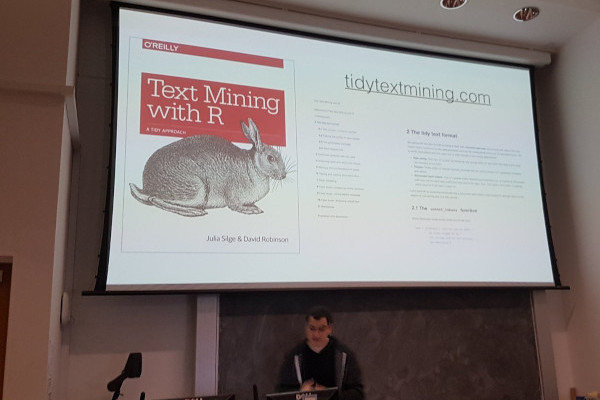
During a very quick tour of Edinburgh (and in particular some distilleries), Dave Robinson (Tidytext fame), was able to drop by the Edinburgh R meet-up group to give a very neat talk on tidy text. The first part of the talk set the scene
- What does does text mean?
- Why make text tidy?
- What sort of problems can you solve?
This was a very neat overview of the topic and gave persuasive arguments around the idea of using a data frame for manipulating text. Most of the details are in Julie’s and his book on Text Mining with R.
Personally, I found the second part of his talk the most interesting, where Dave did an “off the cuff” demonstration of a tidy text analysis of the “Scottish play” (see Blackadder for details on the “Scottish play”).
After loading a few packages
library("gutenbergr")
library("tidyverse")
library("tidytext")
library("zoo")
He downloaded the “Scottish Play” via the Gutenbergr package
macbeth = gutenberg_works(title == "Macbeth") %>%
  gutenberg_download()
Then proceeded to generate a bar chart of the top \(10\) words (excluding stop words such as and, to), via
macbeth %>%
  unnest_tokens(word, text) %>% # Make text tidy
  count(word, sort = TRUE) %>% # Count occurances
  anti_join(stop_words, by = "word") %>% # Remove stop words
  head(10) %>% # Select top 10
  ggplot(aes(word, n)) + # Plot
  geom_col()

The two key parts of this code are
unnest_tokens()- used to tidy the text;anti_join()- remove anystop_words.
Since this analysis was “off the cuff”, Dave noticed that we could easily extract the speaker. This is clearly something you would want to store and can be achieved via a some mutate() magic
speaker_words = macbeth %>%
  mutate(is_speaker = str_detect(text, "^[A-Z ]+\\.$"), # Detect capital letters
         speaker = ifelse(is_speaker, text, NA),
         speaker = na.locf(speaker, na.rm = FALSE))
The str_detect() uses a simple regular expression to determine if the text are capital letters (theyby indicating a scene). Any expression of length zero is replaced, by a missing value NA. Before finishing with the {zoo} na.locf() function to carry the last observation forward, thereby filling the blanks.
The resulting tibble is then cleaned using
speaker_words = speaker_words %>%
  filter(!is_speaker, !is.na(speaker)) %>%
  select(-is_speaker, -gutenberg_id) %>%
  unnest_tokens(word, text) %>%
  anti_join(stop_words, by = "word")
A further bit of analysis gives
speaker_words %>%
  count(speaker, word, sort = TRUE) %>%
  bind_tf_idf(word, speaker, n) %>%
  arrange(desc(tf_idf)) %>%
  filter(n >= 5)
## # A tibble: 107 x 6
##    speaker       word         n      tf   idf tf_idf
##    <chr>         <chr>    <int>   <dbl> <dbl>  <dbl>
##  1 PORTER.       knock       10 0.0847  3.09  0.262
##  2 ALL.          double       6 0.0588  2.40  0.141
##  3 PORTER.       knocking     6 0.0508  2.40  0.122
##  4 APPARITION.   macbeth      5 0.143   0.788 0.113
##  5 LADY MACDUFF. thou         5 0.0394  1.30  0.0512
##  6 PORTER.       sir          5 0.0424  1.15  0.0485
##  7 DUNCAN.       thee         6 0.0270  1.30  0.0351
##  8 FIRST WITCH.  macbeth      7 0.0417  0.788 0.0329
##  9 LADY MACBETH. wouldst      6 0.00825 3.78  0.0312
## 10 MACDUFF.      scotland     8 0.0154  1.99  0.0306
## # ... with 97 more rows
In my opinion, the best part of the night was the lively question and answer session. The questions were on numerous topics (I didn’t write them down sorry!), that Dave handled with ease, usually with another off-the-cuff demo.
Further Links
- Edinburgh R user group
- Text mining with R: amazon
- Dave Robinson: twitter, blog
- Blackadder discusses the Scottish play